
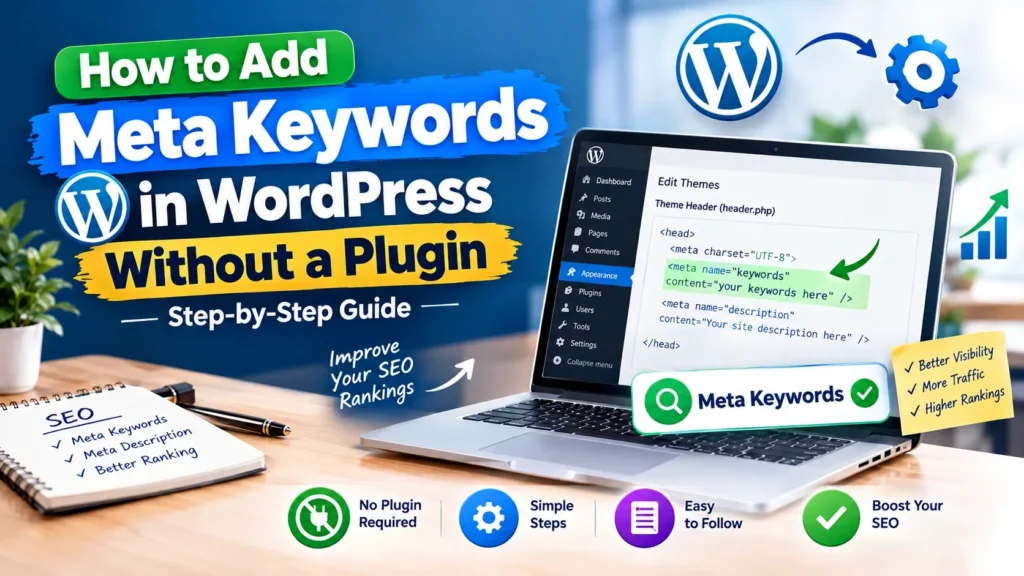
Ever poked around your WordPress site and wondered, “Where do I even put meta keywords?” If you’ve read anything about SEO, you’ve definitely stumbled across the term. And maybe you’ve heard that throwing the right keywords onto your site can help search engines figure out what your page covers.
But here’s the thing: meta keywords are sort of a relic. Google doesn’t use them anymore. So you’re probably asking yourself—is it even worth adding them to your WordPress site?
The honest answer: it depends on what you’re trying to do.
Let’s get into what meta keywords actually are, whether or not they still matter, and how you can add them manually to your WordPress site without loading up on plugins. I’ll also touch on other strategies that actually make a difference for your SEO.
What Are Meta Keywords?
Put simply, meta keywords are just keywords you add straight into the HTML code of a webpage. You drop them into the <head> section like this:
<meta name=”keywords” content=”web development, SEO services, WordPress SEO”>
Back in the day, you could “tell” search engines exactly which phrases your page was about with this tag. It was a thing… until search engines, especially Google, got a lot smarter.
Now, Google ignores the meta keywords tag entirely.
So, stacking a list of 20 or 30 keywords in there will not rocket your page up the rankings.
Do Meta Keywords Still Matter for SEO?

Not really—at least, not for Google.
Google has said, plain as day, that they don’t use the meta keywords tag in their ranking algorithm. So you don’t need to agonize over writing one.
So why are we talking about it? Well, maybe you’re using an internal search system, some niche search engine, or an old tool that still checks for meta keywords. Or maybe you’re just curious about learning how these tags work.
Bottom line: meta keywords don’t help with Google. If your real goal is to rank higher, you’re better off creating quality content, using solid titles and headings, working on internal links, nailing technical SEO, and so on.
Can You Add Meta Keywords in WordPress Without a Plugin?
Yes, WordPress doesn’t hand you a built-in field for meta keywords on every page, but you can add a meta tag straight to your site’s HTML code.
There are a few ways to do this without using a plugin. The simplest route is editing your theme’s header file—but be careful with this method. It’s surprisingly easy to break things. Always make a backup first, and ideally, work in a child theme so you don’t lose your changes later.
Step 1: Choose the Keywords You Want to Add
Before you mess with any code, ask yourself which keywords are actually relevant for the page. For a page about WordPress development, that might be:
- WordPress website development
- WordPress web development
- Custom WordPress website
- WordPress development services
Don’t get carried away. Focus on real relevance—more isn’t better, just stick to what fits. And remember: putting keywords here won’t score you any quick wins on Google.
Step 2: Open the WordPress Dashboard
Log in to your website.
Head to Appearance → Theme File Editor.
Don’t see the Theme File Editor? That’s fine—some hosts turn it off for security reasons. You can always edit your files using your host’s file manager or an FTP program.
Step 3: Find the Header File
In your theme files, look for the header. php file That’s where the <head> section usually lives.
You’ll see something like:
<head>
….
</head>
Don’t delete or mess with anything unless you know what you’re doing.
Step 4: Add the Meta Keywords Tag
Drop your meta keywords tag in somewhere between <head> and </head>. Like this:
<meta name=”keywords” content=”WordPress website development, WordPress web development, custom WordPress website”>
Then save the file. Simple as that—your page now has a meta keywords tag.
Here’s the catch: if you add this tag to header. php, the same keywords show up on every page. That’s usually not ideal. Your homepage might be about one thing, your blog post about another—but both now have the same meta keywords.
Step 5: Understand the Sitewide Problem
This is where most people trip up. That one tag you added? Now it sits on every page. It doesn’t help Google, and it doesn’t make sense to have identical keywords everywhere.
If you want different keywords on different pages, you’ll need to get more technical and use some custom code.
Step 6: Use WordPress Conditional Tags for Specific Pages
WordPress has these handy conditional tags—like is_front_page() or is_single()—that let you show stuff only on certain pages.
Let’s say you just want your keywords on the homepage. Add something like:
if ( is_front_page() ) {
echo ‘<meta name=”keywords” content=”web development, SEO services”>’;
}
Boom—the tag only shows up where you want it.
Not comfortable with PHP? Tread carefully. It’s easy to mess things up if there’s a typo.
Is Editing header. php Safe?
It can be, but it’s risky. If you edit your parent theme, any updates will wipe out your changes. That’s why developers use child themes or custom code snippets. And again, take a backup first—something small can break your site.
If you’re not sure what you’re doing, it’s better to find a developer for help. Meta keywords are not worth breaking your website over.
What Should You Use Instead of Meta Keywords?
This is the part that really matters for SEO.
Instead of focusing on meta keywords, spend your time improving the elements that help users and search engines understand your content.
1. Write a Clear SEO Title
Your page title is crucial. Make it clear, specific, and on-topic.
Good: How to Improve WordPress SEO: A Beginner’s Guide
Bad: WordPress SEO Keywords Best SEO Ranking Website Google
Don’t stuff your title—make it helpful.
2. Write a Useful Meta Description
This isn’t the same thing as meta keywords. The meta description is a quick summary that shows up in search results and helps people decide if they should click.
For example:
Learn practical WordPress SEO tips, including keyword research, internal linking, page optimization, and technical improvements.
Write it for readers—not search engines.
3. Use Keywords Naturally in Your Content
Keywords still matter.
But the way you use them matters much more than simply placing them in a hidden HTML tag. Use your main topic naturally in places such as:
- Page title
- Main heading
- Introduction
- Subheadings
- Body content
- Image alt text when appropriate
- Internal links
- URL slug
Don’t force the same phrase into every sentence. Write for people first.
4. Improve Your Internal Linking
Internal links help people and search engines find related content. If you’ve got a post about WordPress SEO and another about keyword research, connect them when it makes sense.
5. Create Helpful Content
Seriously, this matters most. Answer people’s questions, solve their problems, be clear—if you do that, you’re already ahead of anyone still messing around with meta keywords.
- What did they search for?
- What are they confused about?
- What information do they need next?
- Answer those questions.
Common Mistakes to Avoid
If you have to add meta keywords for a legacy reason, avoid these traps:
- Don’t add dozens or hundreds of keywords—it just looks spammy.
- Don’t use keywords that have nothing to do with your page.
- Don’t copy the same keywords onto every page—be specific.
- Don’t expect better Google rankings.
- Meta keywords won’t improve your rankings.
- Anyone saying otherwise is selling snake oil.
Should You Add Meta Keywords to Your WordPress Website?
For most modern WordPress websites, there is no SEO need to add meta keywords.
If you’re doing it because an old system, internal search tool, or another platform specifically requires the tag, manual implementation can make sense.
Otherwise, your time is probably better spent elsewhere.
- Work on your content.
- Improve your page titles.
- Build useful internal links.
- Make your website faster.
- Understand what your audience is actually searching for.
- Those activities have much more practical value.
Final Thoughts
Yes, you can add meta keywords to WordPress without a plugin—just pop a <meta name=”keywords”> tag into your theme files or with some targeted code.
But that doesn’t mean you should. Here is the important part: do not confuse technical possibility with SEO value. Meta keywords are an outdated SEO method and Google does not use meta keywords as a ranking signal.
So, if your goal is to improve your website’s search performance do not make keywords your priority.
Instead, create helpful content, target relevant search queries, optimize your titles and descriptions, and use internal links wisely and make the overall website easy to use. That is where your SEO efforts are more likely to pay off.