
A single-page website can be a simple and effective way to present a business, service, portfolio, or landing page. With everything consolidated onto a single page, visitors can locate what they’re looking for without having to click through multiple pages.
But there is one common question: Can a single-page website rank well on Google?
Yes. A one-page website can appear in search results, but it still needs proper SEO. Because all of the important information is concentrated on one page, you need to pay extra attention to content, headings, keywords, page speed, mobile usability, images, and user experience.
In this guide, we will explain single page website SEO, why it matters, and the practical steps you can take to improve the search visibility of a one-page website.
Quick Answer: Can a Single-Page Website Rank on Google?
Yes.
Can a one-page website rank on Google?
The number of pages does not determine whether a website can rank. What matters is whether the page is helpful and useful, whether it is crawlable and indexable, and whether it provides a positive experience for visitors. Google says that webmasters should focus on writing useful, reliable, people-first content – as opposed to content that is primarily written to rank well in search engines.
But: single page sites can also have a disadvantage. With only one page, that page has to do all the work: if you’re attempting to target multiple search terms, it could be more difficult to do this with a single page site than a larger website.
What Is a Single-Page Website?
This refers to a website that houses all its essential content within a single page.
Typically, a website might have Home, About, Services, and Contact as separate pages. With this kind of setup you would have these elements as sections further down the same page. Consider a small web design business as an example — its page layout might follow a structure like this:
Home → About → Services → Portfolio → Testimonials → Contact
Navigating around is typically done via menu links and buttons. This structure is commonly used for small businesses, freelancers, portfolio sites, event sites, landing pages, businesses that only provide a few services
Why Does SEO Matter for a Single-Page Website?
A website can be modest and still be difficult to discover.
Search engine optimization is how search engines learn more about your site and how potential customers can find you when they search for information or services related to your business.
Such as a local web development firm would be interested in ranking for:
- web development services
- website development
- SEO services
- small business websites
- professional website design
A well-optimized page makes those topics obvious. What you should not do is add every keyword you can think of to the page. Answer the questions your customers really have, and the keywords tend to land where they belong.
How to Optimize a Single-Page Website for SEO
These single-page website SEO steps make the biggest difference.
1. Choose One Primary Keyword
Start by deciding what the page is mainly about. The keyword should match your site’s purpose and the words your audience types into Google.
For a local web development company’s one-pager, “web development services” would work. Related phrases can be used naturally throughout the content where they fit.
Repeating it too often makes the content difficult to read and does not make the page more useful. Keep the topic clear and write like a person.
2. Create a Clear SEO Title
The title is one of the first things people may see in search results , so say plainly what the page offers. For example:
Web Development Services for Small Businesses | Digital Web Sol
Avoid adding a long list of keywords to the title. A searcher should look at the title and know immediately what’s on the other side of the click.
3. Write a Useful Meta Description
The meta description can provide additional context about the page in search results. Use it on a one-pager to briefly describe what you do. Here is an example:
Professional web development services for businesses, with fast, responsive, and user-friendly websites built to support online growth.
Write it for the person reading it. A list of keywords will not make the description more useful.
4. Use a Proper Heading Structure
With this much content on one page, headings carry real weight. Use one H1 for the main topic and break everything else into H2 and H3 sections. For example:
- H1: Web Development Services
- H2: Our Web Development Services
- H2: Why Choose Our Websites
- H2: How Our Process Works
- H2: Frequently Asked Questions
Visitors can skim the page quickly, and the content’s structure is easy to see.
5. Create Helpful, Relevant Content
Thin content can be a major problem for single-page websites. A strong headline, a couple pictures and a contact button make for a nice page — but they won’t deliver results if someone Googles something specific and lands on your page.
- Your content should answer these questions:
- What do you offer?
- Who do you serve?
- How does it work?
- Why should they care?
- What are common objections?
- What are the key features or benefits?
- How can they get in touch?
Don’t add unnecessary content just to reach a specific word count. (Google has said that they don’t provide an advantage to longer content).
6. Optimize Images
High-resolution images can improve the look of your one-page website. Just be aware that they can also slow down the page if not optimized appropriately.
- Before uploading images
- Use an appropriate file format
- Compress large files
- Use descriptive file names
- Add useful alt text where appropriate
- Avoid unnecessary images
- Ensure images are formatted for mobile
For example, instead of using a generic filename such as:
image123.webp
use something descriptive such as:
small-business-web-development . webp
Alt text should provide a clear description of the image when needed for accessibility and understanding.
7. Improve Page Speed
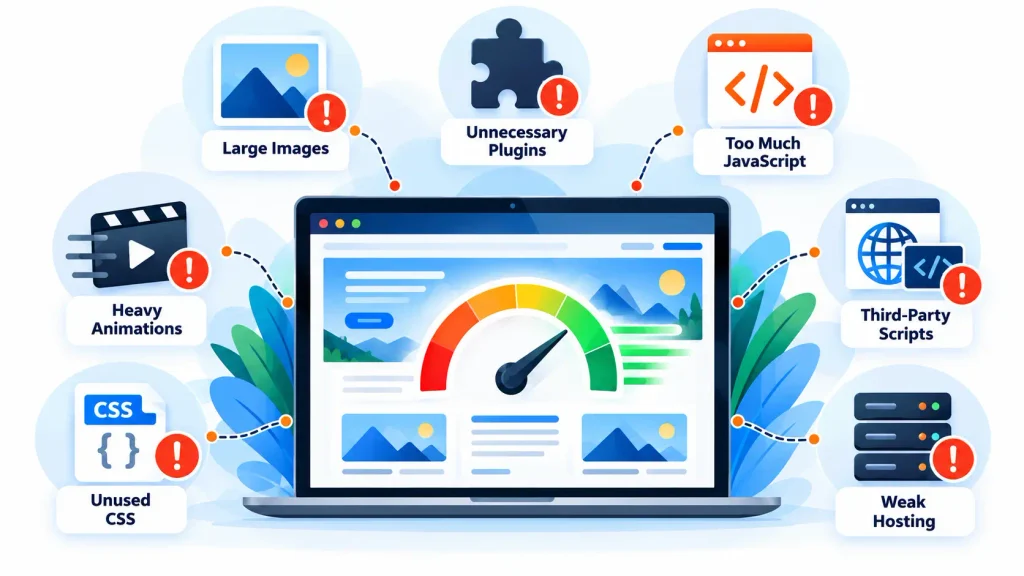
One-page sites usually pack in a lot: several sections, images, animations, scripts. Loading all of these elements at once can slow the page down. Keep an eye on:
- Large images
- Unnecessary plugins
- Too much JavaScript
- Heavy animations
- Unused CSS
- Third-party scripts
- Weak hosting
Google has two guidance systems when it comes to page experience: Core Web Vitals, safe pages, mobile usability, and other page experience signals. Google adds that a high Core Web Vitals score alone doesn’t automatically lead to high rankings. Chasing a high score shouldn’t be the reason you optimize for speed. Optimize it to increase speed and improve user experience.
8. Make the Website Mobile-Friendly
Since a large share of visitors will be browsing from mobile devices, make sure to test how the page performs on smaller screens.
- Text is easy to read.
- Buttons are easy to tap
- Navigation works properly
- Images don’t spill over the edges.
- Sections don’t get confusing.
- Forms work
- The page loads quickly
Google recommends a good overall page experience, including content that displays well on mobile.
9. Use Clear Navigation and Anchor Links
Navigation is even more important on a one-pager because people don’t want to wait while scrolling through the whole page to find out your prices. Give visitors an easy way to jump directly to the section they need:
About Us | Our Services | Our Portfolio | Reviews | Contact Us
Each link will scroll down to the corresponding part of the page. This makes a long page easier to navigate and keeps the content organized.
10. Add Relevant Internal and External Links
Even if your website has only one main page, you can still use relevant links. Pointing visitors toward resources that are genuinely relevant and useful still counts. When you add a blog or more service pages to your website these pages can be highly useful for internal linking purposes.
When appropriate, link to reliable sources that support information or provide additional value to visitors.
It’s about helping the users, not just SEO.
11. Build Quality Backlinks
Backlinks can raise a site’s visibility and authority. Quality beats quantity here by a wide margin. A one-page business site might earn links from:
- Industry websites
- Business directories
- Local organizations
- Partner businesses
- Relevant publications
- Guest posts
- Professional profiles
Avoid shady link schemes and unrelated sites. Content that’s truly worth sharing tends to attract links naturally, without any active outreach.
12. Use Structured Data Where It Makes Sense
Structured data tells Google what certain information on your page means. Depending on your site, that might be organization, local business, or another supported type.
Google says it can help the search engine understand your content and may make the page eligible for some enhanced search features. It’s not a ranking shortcut, though. Only mark up what’s really on the page.
Common Single-Page Website SEO Problems
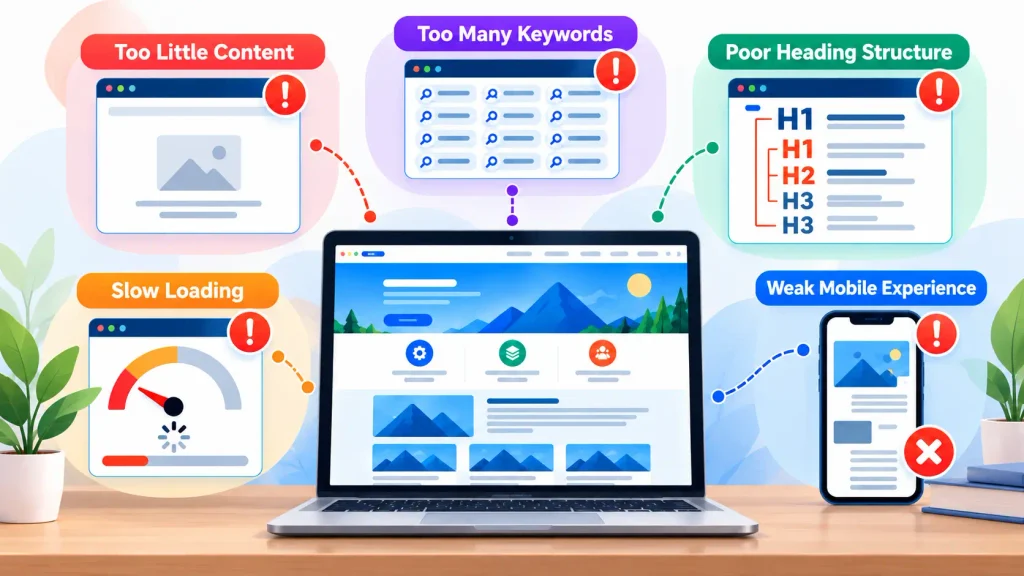
Even a well-designed one-pager can run into trouble. A few common ones:
Too little content. If the page says almost nothing, it can’t satisfy anyone looking for details. Add real information about your services, audience, process, benefits, and common questions.
Too many keywords. Repeating the same phrase over and over makes the text painful to read. Write naturally and bring in related terms only where they fit.
Poor heading structure. Some people use headings purely for looks, picking whatever size seems right. Organize sections by what they actually contain.
Slow loading. Big images, scripts, animations, and add-ons make the page heavy. Compress images, remove what you don’t need, and tighten up the technical side.
Weak mobile experience. A layout that looks great on a desktop can fall apart on a phone. Test every section, button, menu, image, and form on different screen sizes.
Single-Page vs Multi-Page Website for SEO
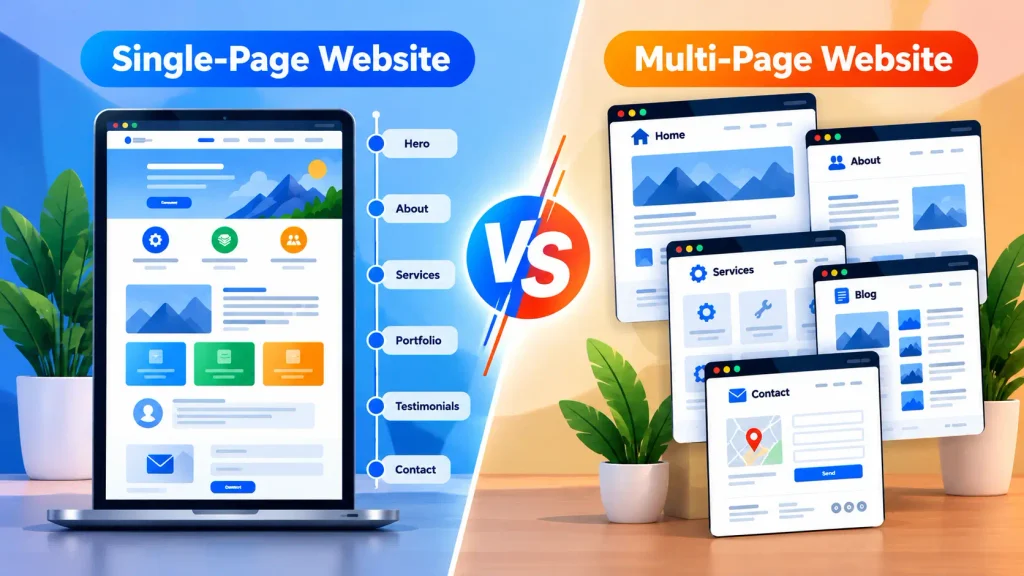
| Feature | Single-Page Website | Multi-Page Website |
| Setup | Simple | More extensive |
| Main content | One page | Multiple pages |
| Keyword targeting | More limited | More flexible |
| Services | Usually grouped | Can have separate pages |
| Blog content | Limited | Easier to expand |
| Best for | Small/simple websites | Larger businesses |
None of this makes a multi-page site better for SEO by default. It depends on the business and what it’s trying to do. For a small business offering just one core service, a single page can work perfectly well. A company with lots of services might eventually want a separate page for each big one.
When Is a Single-Page Website a Good Choice?
Go for it when you want a simple online presence and don’t need a big site structure. It suits:
- Freelancers
- Small businesses
- Personal portfolios
- Event websites
- Simple service businesses
- Product landing pages
- New businesses testing an idea
If you need to cover many services, locations, or topics, a multi-page setup gives you more room for relevant content.
Single Page Website SEO Checklist
Go through this before you publish:
- Primary keyword selected
- SEO title written
- Meta description added
- One clear H1 used
- H2 and H3 headings organized
- Helpful content included
- Images compressed
- Alt text added where needed.
- The website works well on mobile.
- Page loads quickly
- HTTPS enabled
- Navigation is easy to use
- Important sections are easy to find
- Relevant links included
- Contact information is clear
- Search Console is set up
- Websites can be crawled and indexed
Setting up Google Search Console costs nothing and is well worth doing. It shows how your site performs in search and flags indexing problems, and it’s one of Google’s official search tools.
FAQs About Single Page Website SEO
Can a single page website rank on Google?
Yes, it can. The page should provide useful content and follow sound technical and on-page SEO practices.
Is a one-page website good for SEO?
A one-page website can be good for SEO, but it is best suited for smaller sites with a more focused purpose. However, having multiple pages allows you to target a broader range of topics and keywords.
How many keywords should I target for a single page site?
There is no recommended number of keywords for a single page site. A single focused topic paired with related keywords works far better than cramming unrelated keywords onto one page.
Do single page websites need backlinks?
Backlinks should not be the sole focus of any SEO campaign, as backlinks are only one part of the SEO process. However, relevant backlinks will give any site, single-page or not, an additional SEO boost.
Single page site or multiple pages?
It depends. A small business with limited information to present may want to go with a single page site, whereas a larger business with many services and/or locations may want to consider a multi-page site.
Conclusion
Single-page website SEO is not about trying to fit every possible SEO target onto one page. Instead it’s about having that single page be as rich, clear, accessible, and technically sound as it can be. Start with a clearly defined topic, create useful content, use a clear heading structure, optimize your images, and pay attention to page speed, mobile usability, and navigation.
Then continue by tracking your website’s performance and making improvements where needed.
A single-page website may not offer as much room for SEO expansion as a large multi-page website, but that does not mean it cannot compete in search results.